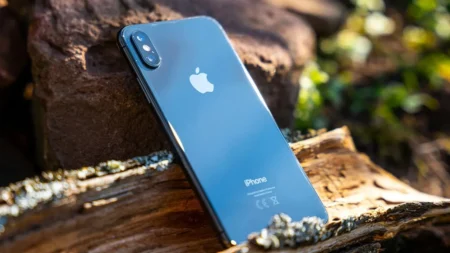




SAN FRANCISCO, United States — Some iPhone users are reporting unusually rapid battery consumption after installing Apple’s latest iOS 27.2.1 software update, raising concerns about the update’s impact on device performance.
Complaints have emerged across online technology forums and social media, with users describing batteries losing charge faster than before the installation, even during periods of relatively light phone usage.
Some owners have also reported their devices becoming warmer during ordinary activities, while others say battery performance has remained unchanged or improved.
The mixed feedback suggests the problem may not affect every iPhone model or user in the same way. Apple has not confirmed a widespread battery-drain defect linked to iOS 27.2.1.
The complaints nevertheless come at a time when iPhone owners are increasingly dependent on their devices for communication, mobile banking, navigation and other everyday services, making battery reliability an important part of the update experience.
Users describe sudden changes in battery performance
Reports shared on Reddit and technology discussion forums indicate that some users began noticing battery deterioration shortly after installing iOS 27.2.1.
One discussion involving iPhone owners described unusually high standby battery consumption, while another user reported that a device which previously lasted most of the day was struggling to maintain the same performance after updating.
Owners of different models, including the iPhone 15 Pro, iPhone 17 series and iPhone 18 Pro Max, have contributed to the discussions.
However, the experiences are far from uniform. Some users have reported that battery performance improved following the update, while others say their devices continue to lose power more quickly than expected.
These accounts are useful indicators of potential problems, but they do not establish how widespread the issue is. Individual reports also cannot determine whether the software update itself is responsible.
Why an iPhone battery may drain faster after an update
Increased battery consumption immediately after installing an iOS update does not necessarily mean that the new software has damaged the battery or introduced a permanent fault.
Apple devices can continue performing demanding background activities after an update, including reorganising files, indexing information for search, updating applications and downloading system resources.
These processes can temporarily increase processor activity, generate additional heat and consume more power.
The impact can be more noticeable after major software releases because the device may need additional time to complete background setup and synchronisation.
Technology publication 9to5Mac has previously highlighted this behaviour following the introduction of iOS 27, noting that background indexing and other system activities can temporarily affect battery life.
Apple advises users experiencing reduced battery performance after an update to allow some time for background activities to finish before concluding that the software has caused a lasting problem.
However, battery drain that continues well beyond the initial adjustment period deserves further investigation.
How to check what is consuming your iPhone battery
Users concerned about unusually rapid battery consumption can begin by examining the built-in battery monitoring tools.
Apple provides an activity breakdown showing which applications and system processes are using the most power.
To investigate:
- Open Settings on your iPhone.
- Select Battery.
- Review the battery usage chart and activity breakdown.
- Check which applications are consuming the most power.
- Look for unusually high background activity or indications that an iOS update is still running in the background.
Applications showing substantial background activity may be contributing to faster battery consumption, particularly if they are repeatedly refreshing information, accessing location services or synchronising data.
Users can also check battery health under the battery settings to establish whether the device’s maximum capacity has deteriorated.
A battery with significantly reduced maximum capacity may struggle to maintain the same operating time it delivered when new, regardless of the software version installed.
Practical steps to improve battery life
For users experiencing persistent battery drain, several adjustments may help reduce unnecessary power consumption.
Reduce screen brightness: A brightly lit display can consume considerable energy. Enabling automatic brightness or reducing the screen’s brightness manually may help.
Review background activity: Applications that frequently refresh content when not in use can contribute to battery consumption. Users can review Background App Refresh settings and restrict unnecessary activity.
Check location permissions: Some applications continuously access location services. Limiting access to only when an application is in use can help reduce unnecessary power consumption.
Use Low Power Mode: Apple’s Low Power Mode temporarily reduces background activity and certain visual effects to extend battery life.
Restart the device: A restart may help resolve temporary software processes that are behaving abnormally after an update.
Users should avoid immediately performing a factory reset or deleting important data simply because battery performance has declined following an update. More extensive troubleshooting should follow a backup and, where necessary, guidance from Apple Support.
Should iPhone users install iOS 27.2.1?
The battery complaints have raised questions about whether users should install or avoid the latest software version.
However, battery performance is only one consideration when assessing an iOS update. Apple’s software releases also contain bug fixes and security improvements that can help protect devices against vulnerabilities.
The iOS 27.2.1 release, made available on November 9, 2026, was presented as a bug-fix and security update. Its published release information did not identify battery performance as a specific problem or promise a universal improvement in battery life.
Also Read: Why are iPhones more expensive than Android phones?
Users should therefore avoid making update decisions solely on the basis of isolated online complaints. Those who have already installed the software should monitor their devices over several days and investigate any persistent abnormal behaviour.
For Apple, the growing discussion presents another opportunity to clarify whether the reported battery changes are connected to background processing, individual applications, device-specific conditions or an underlying software issue.
Until the company provides further clarification, the reports remain user-reported experiences rather than evidence of a confirmed widespread defect.
The key question is whether the battery drain settles as iPhones complete their post-update background tasks or persists long enough to point to a more significant problem.